The return of the dark theme with vRealize Operations 6.7

With the recent release of vRealize Operations 6.7, one of a most awaited feature which has been re-introduced is the concept of themes.
In the past releases of vROps, you could change the entire user interface into a Dark mode. This feature has been re-introduced and can be set by a user through preferences.
To enable the dark theme:
a) Login to vRealize Operations.
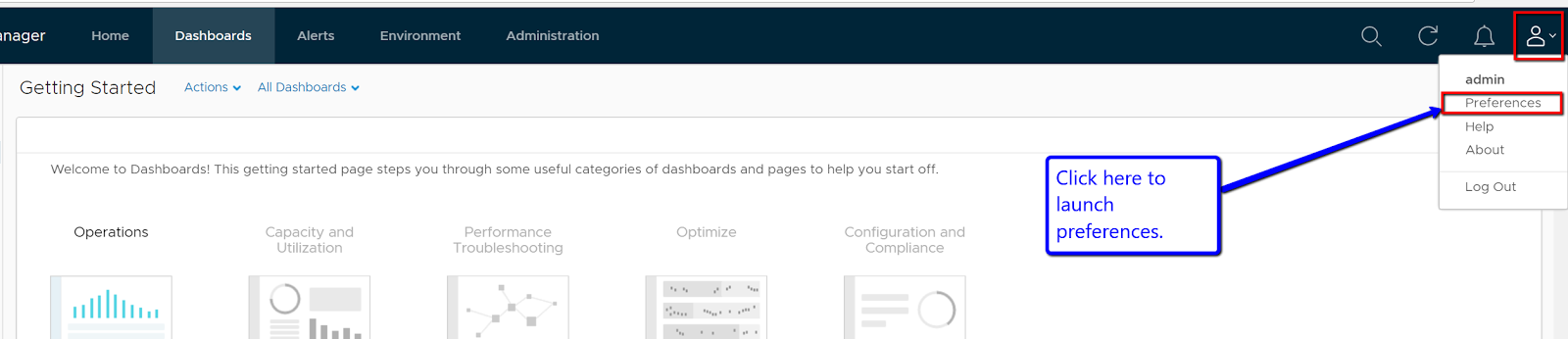
b) Click on the user icon and Preferences

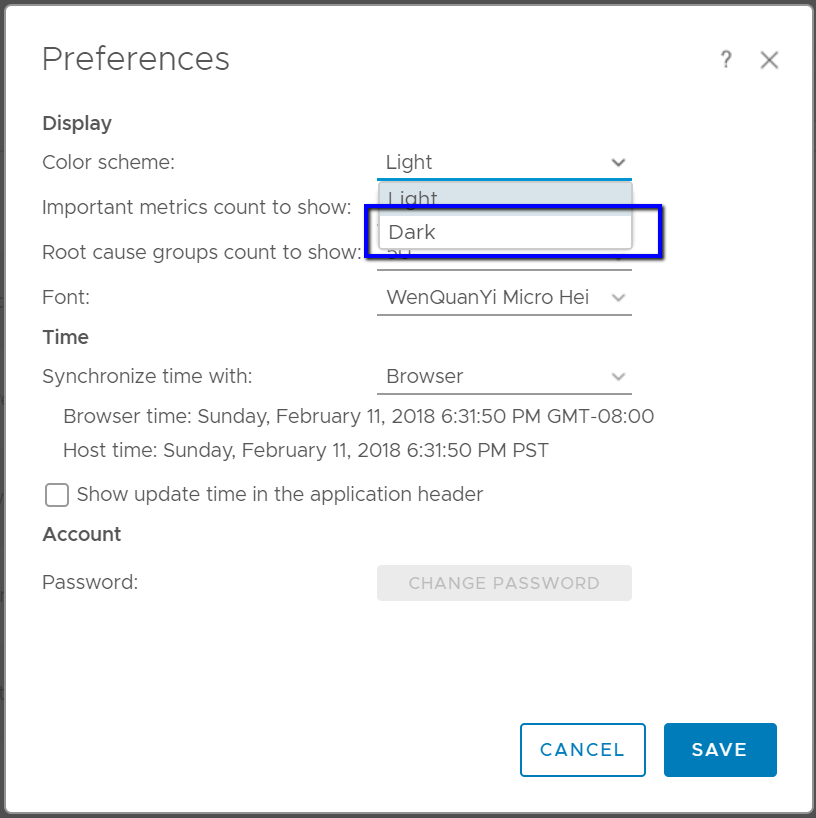
c) Under the Color Scheme select “Dark Theme” and click on Save.
d) The screen will reload and within seconds your entire vRealize Operations screen will be in the dark mode.
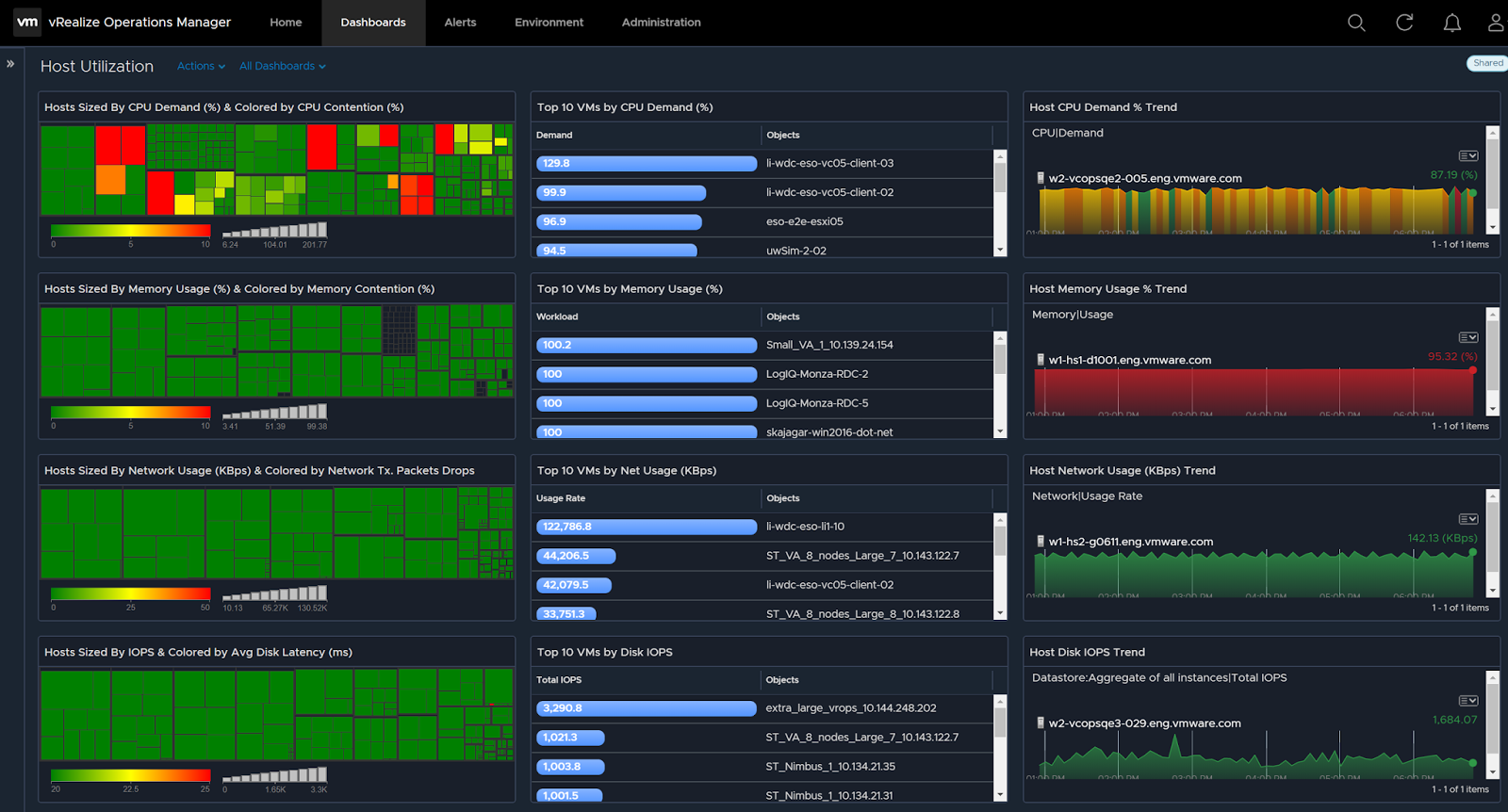
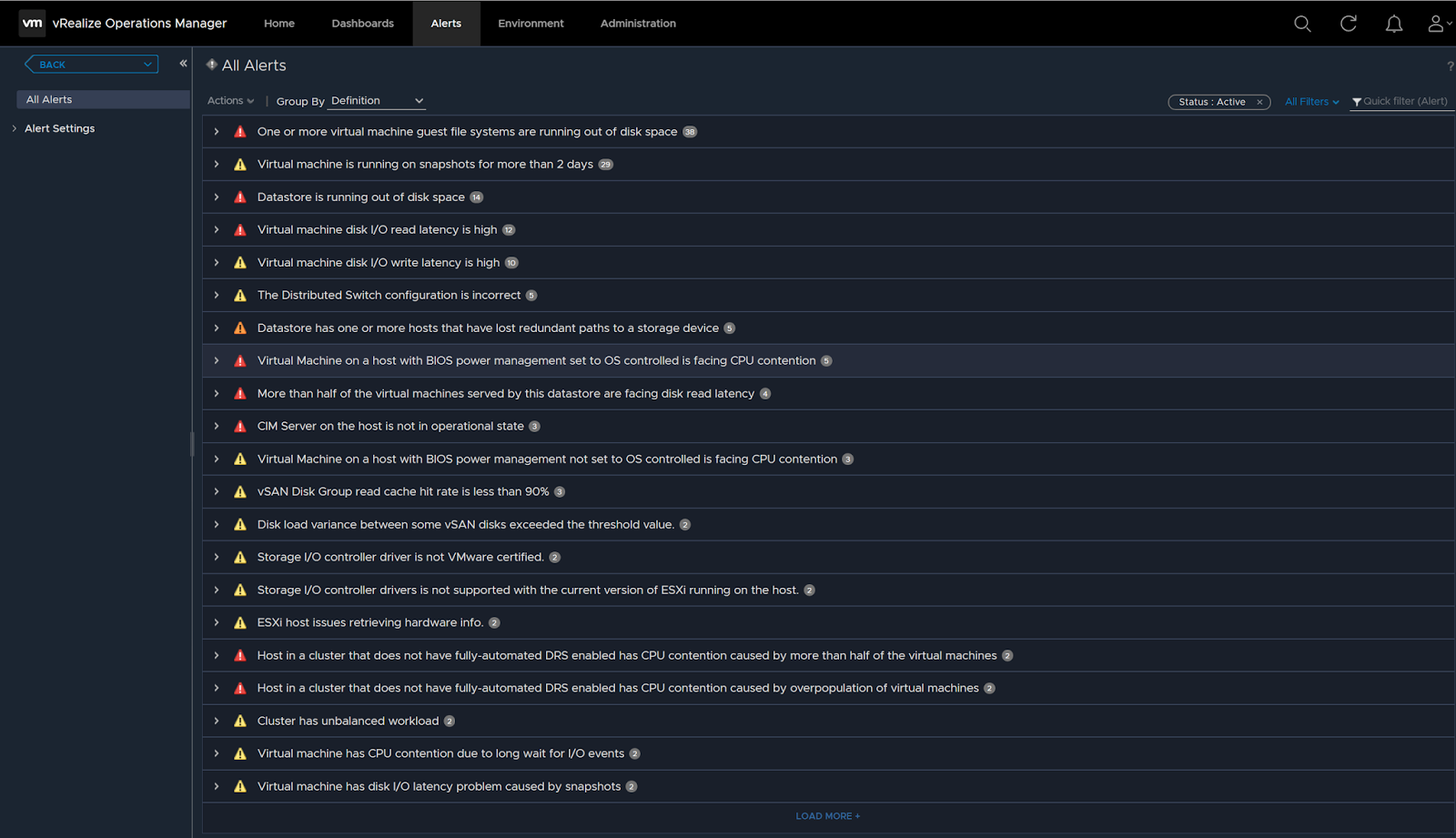
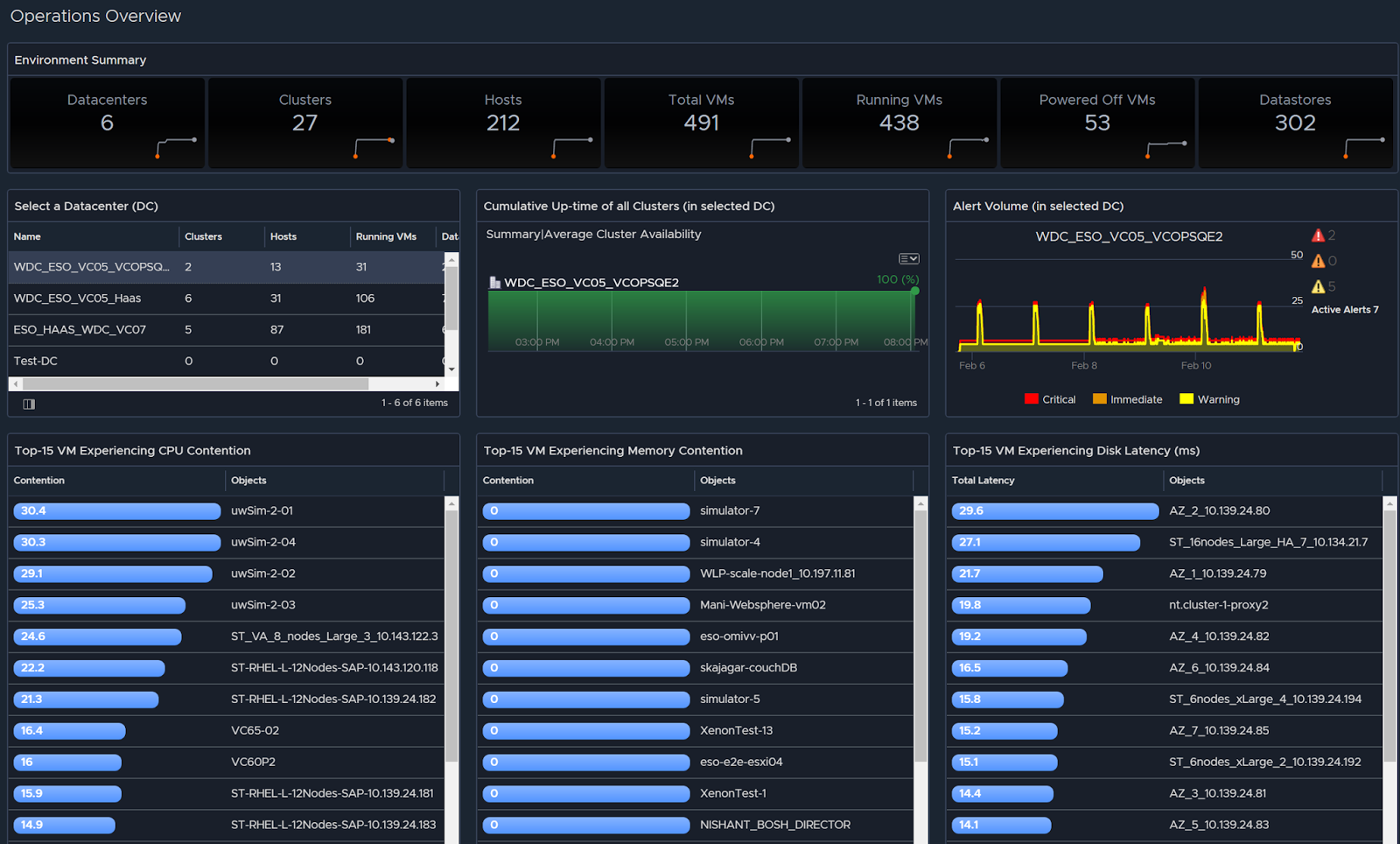
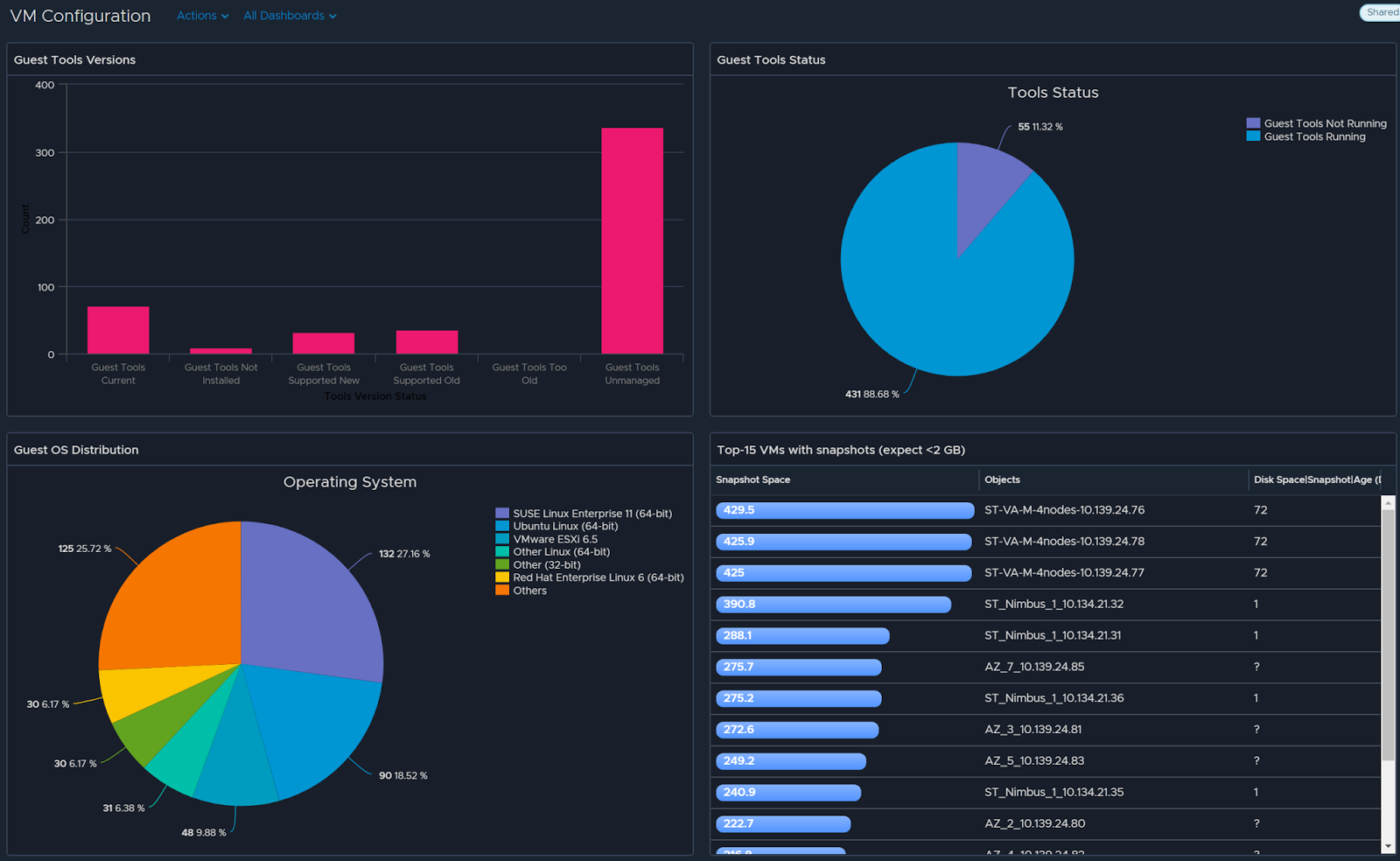
Here are a few previews of vRealize Operations 6.7 with dark theme:
Click here to download your copy of vRealize Operations 6.7.

Published by Sunny Dua

With over two decades of experience, I am a seasoned Product, User Experience & GTM Leader with a remarkable track record. My expertise lies in establishing enterprise B2B product businesses from the ground up, specializing in areas such as Observability, Security, Cloud Capacity, Cloud Cost Management, AI/ML Driven Root Cause, Resource Optimization, Modern Data Platforms, and most recently, Generative AI Assistants for diverse use cases. Throughout my career, I have adeptly led product teams in large organizations, consistently delivering on intricate roadmaps and resulting in multi-million-dollar product portfolios. My wealth of expertise makes me an invaluable asset to any organization aiming to elevate its product business to new heights.

Leave a comment