In the past I have written about vCenter Operations / vRealize Operations policies and how they play an important role in the way the analytics and capacity engine run to process the collected metrics in your environment.
With the release of vRealize Operations Manager 6.0, the policies do not change much, however the way you configure them has changed a bit. With the introduction of a number of third party management packs and vROps treating all the objects as FIRST CLASS CITIZENS, it is important that with each management pack you have a specific set of policy which would define the monitoring criteria for a particular object being monitored by vRealize Operations. For instance, if you install a NetApp management pack or an EMC Storage Analytics management pack, then, you should either define your monitoring goals for the objects it brings into the system for monitoring or a better option would be to get this as a pre-defined policy from the management pack vendor. In this case, EMC or NetApp would be in a better position to tell you as to what are the things to monitor on their storage array than VMware.
 While all this sounds simple, this might end up to be pretty complex for someone who is using the solution for the first time or might not have expertise on the solution and the related management packs. Most of the customers using vCOps and now vROps have vague idea about how these policies work in the background and hence it becomes important that the management pack provider gives a canned set of rules or a questionnaire of some sorts to help you monitor the resources in an efficient manner. Since VMware vCenter itself is a solution being monitored by vROps, VMware provides the canned policies which can be used to monitor a VMware vSphere environment. In order to help you customize these policies in a most simplistic manner, the vCenter solution pack comes with a configuration wizard which helps you modify the default policy to the best of your requirement. This wizard is labeled as “DEFINE MONITORING GOALS”.
Let me add a new vCenter in my lab instance and I will show you how this wizard looks like:-

- Launch the vROps Product UI.
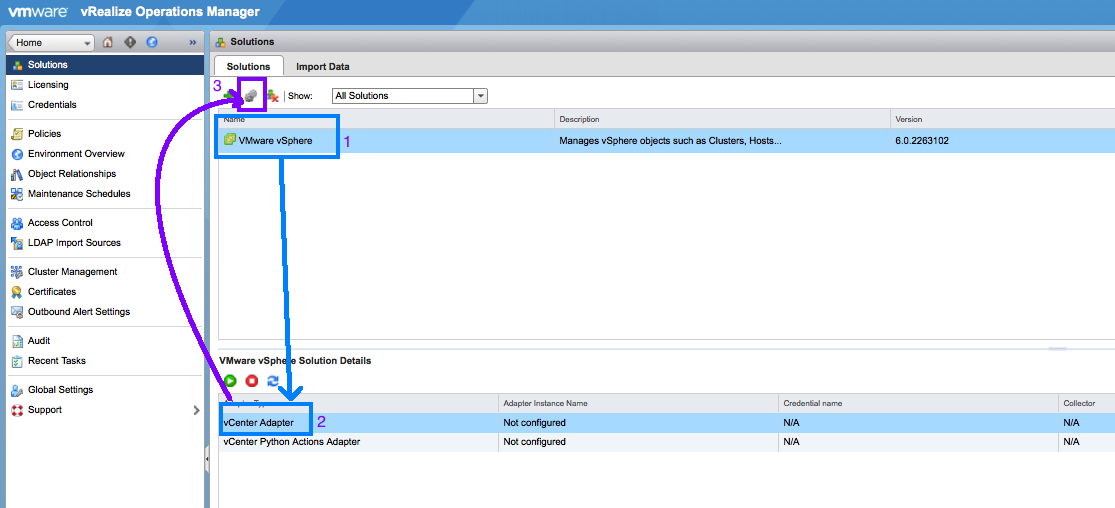
- Click on Administration -> Solutions
- By default you will see the VMware vSphere as one of the solutions. On this screen you can click on the plus sign to add a 3rd party management pack by clicking on the GREEN + symbol.
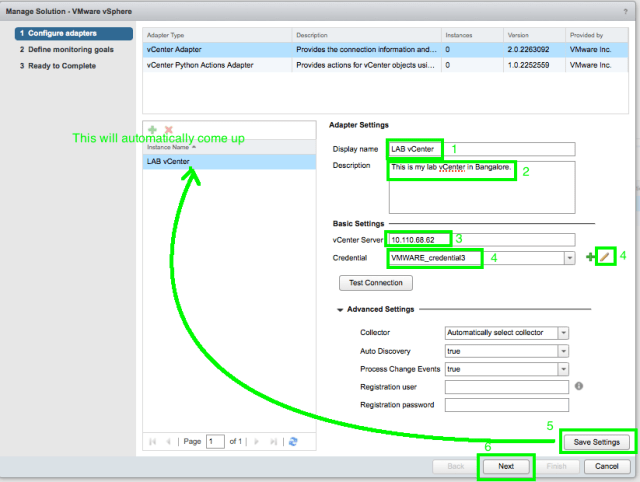
- For us since we are just adding a vCenter Adapter we will click on the configure icon just next to the + symbol.
- Once you get the screen to configure an adapter, provide the adapter name, description, IP address of the vCenter and the credentials as shown below.
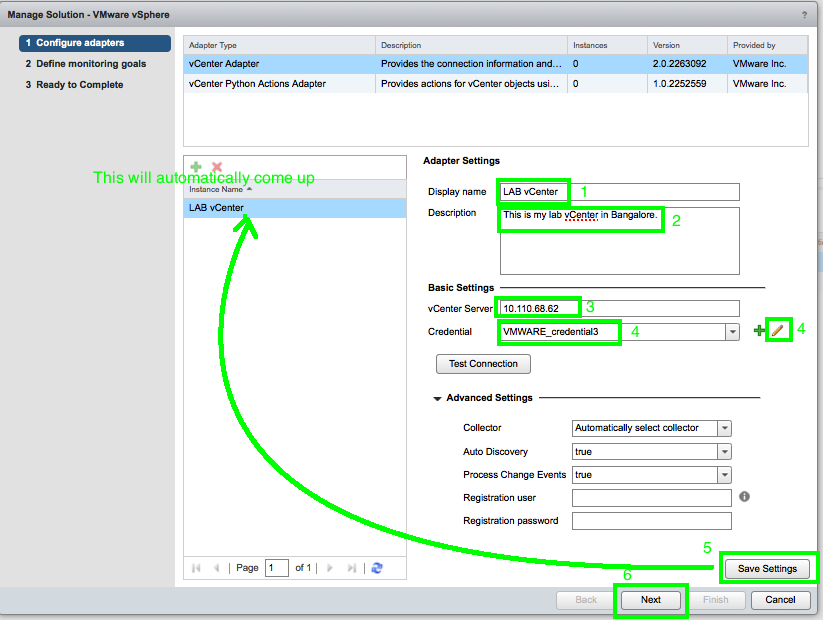
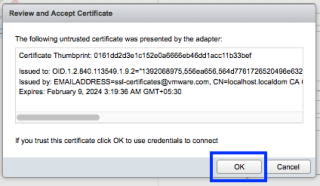
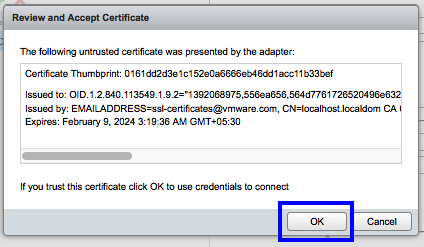
- Once you click on save settings you will get a certificate warning from the vCenter. Click on OK.
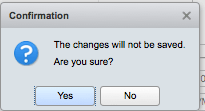
- Now click on Next and Click on the Yes to confirm the changes.
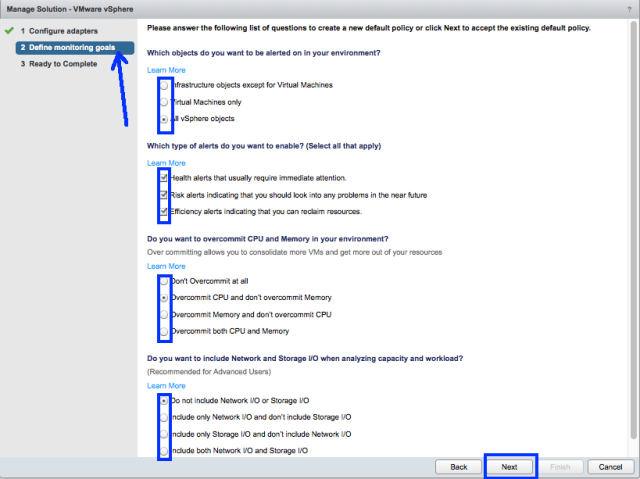
- Now you get to the screen of DEFINING THE MONITORING GOALS
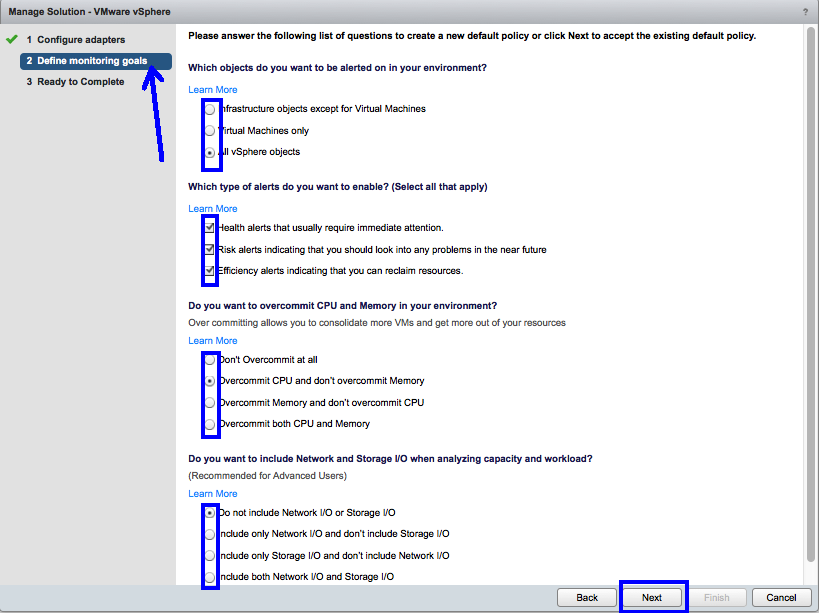
Answer these objective type questions and your policy will be defined as per your preferences here. Please remember that it is not an easy process to change these preferences once you have selected and clicked on finish (I will talk about the process in my next post). Hence, it is recommended that you make up your mind before registering your responses. Let me quickly explain these settings for the benefit of someone complete new to vROps.
Ques 1 – Which objects do you want to be alerter on in your environment?
Meaning – This one is pretty simple. With this you chose whether you want to monitor every object discovered by this adapter or just want to monitor virtual machines.
Ques 2 – Which types of alerts do you want to enable?
Meaning – The answer to this one would depend on whether you want to get alerted for efficiency and risk related issues in your environment or would you just want the alerts which need your immediate attention. Remember, Health denotes immediate problems, Risks are future issues and Efficiency is Optimisation Opportunities. If I was you I would just worry about Health Alerts.
Ques 3 – Do you want to Overcommit CPU & Memory in your environment?
Meaning – In a nutshell this option effects the Capacity and Time remaining results since any type of overcommitment will allow you to assign more logical or virtual resources as compared to what you have available at the physical layer.
Ques 4 – Do you want to include Network and Storage I/O when analysing capacity and workload.
Meaning – This is related to resources for which vROps will never have accurate allocation figures, hence if you select any of these options apart from the first one, Demand would be used to calculate the VM and Time Remaining values.
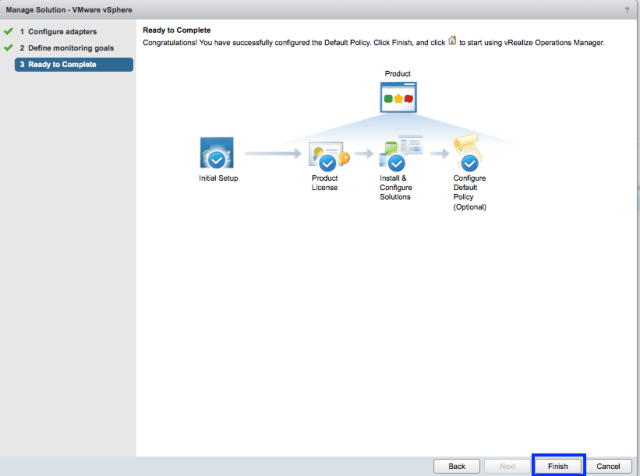
- Click on Next when you are done and then click on finish.
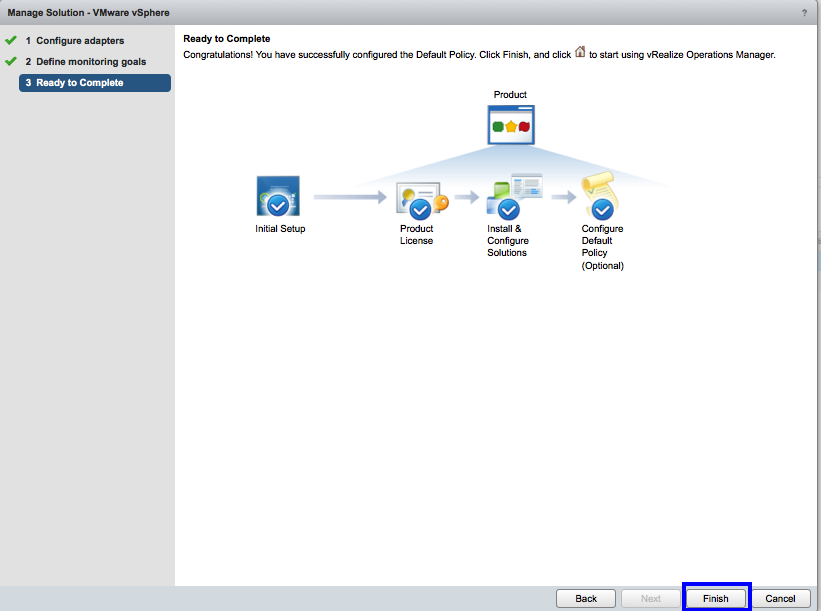
Congratulations! You have successfully configured the vCenter Adapter to monitor your vCenter Server with specific monitoring goals. As I mentioned before, any changes to the policy now cannot be done through this wizard. You would have to manually edit the policy now to make changes or you could use my next post where I will tell you a hack which will allow you to re-run this wizard once again.
Till then.. Stay Tuned.
Share & Spread the Knowledge
 sunnydua.com